Overview of CloudFuze and Movebot
Movebot and CloudFuze are both data migration tools with a wide range of platform support. But while CloudFuze focuses on providing a comprehensive migration experience through a proprietary migration process, Movebot gives you the control and flexibility to do it yourself.
CloudFuze Overview
CloudFuze was founded in 2012 with the goal of building a platform that enables content migration between cloud storage platforms. Over time, the company has shifted towards AI-driven cloud modernization and governance. Aiming to solve the modern challenges businesses face in the AI era, CloudFuze currently has two separate tools: CloudFuze Migrate for data migrations and CloudFuze Manage for AI governance.
Since Movebot doesn't have a governance tool, this comparison will focus specifically on how Movebot and CloudFuze Migrate compare.
The CloudFuze Migrate tool covers a lot of different object types and can migrate files, emails, chats, and whiteboards. In 2025, CloudFuze earned an award for Google Cloud Partner of the Year for the Google Workspace - Technology - Impact category in part due to their ability to migrate into Google Workspace.
For migrations, the CloudFuze team takes a very hands-on approach. Projects are run as managed migrations with guidance from a migration expert at all stages. This includes product support as well as expert guidance in preparing the scope of work and assistance in setting up migrations, including assistance in creating user mappings.
Movebot Overview
Movebot is a data migration tool built by the team at Couchdrop. While Couchdrop handles your day-to-day secure transfers, Movebot's here for when you need to move a ton of data quickly.
As a cloud-agnostic data migration tool, Movebot supports migrating to and from over 30 platforms and helps make sure your data is ready for the destination. Movebot supports moving files as well as emails, contacts, and calendars and gives you full control of what you move and where to, without ever storing your data at any point.
Movebot is a self-serve migration tool that lets you migrate everything from an entire source to the destination or a single folder. Use mapping to map users between platforms easily, or move data between users, drives, or platforms at will. It's all up to you.
Self-serve vs managed migrations
One of the biggest differences between CloudFuze and Movebot is the approach they take to migrations. CloudFuze manages migrations for you, so you work with them throughout the entire process and they handhold your IT team from pre-migration to post-migration validation. With Movebot, migrations are self-serve and you do everything yourself. Our goal is to make it simple and intuitive to figure out, so anyone can use Movebot, set up migrations, and have it work.
Depending on your specific needs, one of these approaches might be a better fit for you. If you're new to migrations and want expert reassurance that the process is right, managed migrations are a good fit. However, they tend to come with a higher cost, less control, and as a result of the management, take longer to complete.
If you'd rather have more control and fully configure and run the migration to your specifications, self-serve is a good fit. You connect the platforms you want, transfer the data you want, and use the settings you want with the ability to change anything at will. Self-serve migrations give more flexibility and control, with the tradeoff of you having to do the work and understand enough about moving data to navigate the different settings to make it work.
We go over the pros and cons of the different migration types in more detail in Should you do managed or self-service data migration?
Platform Integrations
Platform support is probably the most important part of a data migration tool. If your platform isn't supported, you can't use the tool. It's that simple.
CloudFuze platform integrations
CloudFuze mentions support for 40+ clouds a few places on the site, but we couldn't substantiate that from any of their public resources. Those platforms appear to include clouds for file migrations, chat migrations, and email migrations, with a little bit of overlap between them. However, you aren't going to migrate Dropbox to Slack (whatever that would mean) or Miro to Egnyte, so while they support many clouds, they aren't all interchangeable, so it doesn't make sense to include them all in a single chunk.
While CloudFuze doesn't have an easily accessible list of storage platforms, their connectors page has 27 (with 6 double-ups, so 21) and their Enterprise guide shows 29 clouds to choose from. A few of those have been deprecated, rebranded, or refer to specific connections to online file systems (we'll count these as 1). Removing those leaves about 20 storage platforms for file migrations. Of those, it's not possible to move between all of them. An older article has 76 listed combinations for migrations, but there are likely more possibilities now.
Where the rest of the platforms come into play is for use cases beyond file and mail migrations. These other types of platforms include chat applications like Google Chat, Slack, Teams, and whiteboards like Miro and Lucidchart.
Movebot platform integrations
Movebot supports over 30 different platforms, from the common ones that CloudFuze can handle to object storage like Backblaze and Lyve Cloud to specialties like BIM360 Docs. Of those, 8 are source only, leaving about 25 you can migrate bi-directionally to and from, more than any other migration platform. These include on-prem to cloud migrations (and vice versa) as well as moving from legacy SharePoint to SharePoint Online.
Movebot supports mailboxes too, including the option to move mailbox data to the cloud for storage or archival. With mailboxes, Movebot can move users, contacts, and calendars efficiently. IMAP connections are also supported as a source, meaning you can move mail from any email platform that supports an IMAP connection.
Platform integrations comparison
For file migrations specifically, Movebot supports more platforms and has many more migration combinations. Being platform-agnostic means you can choose whatever source and destination you want, and Movebot will help make sure your files are ready to fit the requirements of the destination.
This extends to email platforms as well. You can do migrations like Outlook to Google Workspace, but also Outlook to Dropbox, which will save emails as files that can be used for backup or archival purposes.
When it comes to file migrations, Movebot has the widest range of platforms and more possible migration combinations than other tools.
Sign up and set up
The time it takes to get the tool set up and configured can vary widely depending on what you have to get to connect platforms and start the migration.
CloudFuze sign up and set up
CloudFuze has buttons for a free trial, and it first it seems like it might let you fully explore the tool and run some tests. However, filling out the form initiates a request for the team to reach out to you instead of granting you instant access, and you can't simply sign up and try out the tool on your own.
Once you're in the system, you need to authorize clouds, and then the cloud storage with the authorized account will be added to CloudFuze. From there, you'll need to map the users from the source to the destination and then initiate the transfer itself.
Movebot sign up and set up
At Movebot, we think the best way to experience the tool is to use it yourself, so we don’t put up any barriers to signing up. Anyone can sign up without a credit card, going through a sales call, or anything like that. Just click to start a trial, sign up with our quick registration form, and you’ll get an account to explore the platform instantly, with no payment required unless you set up and initiate a transfer.
Connecting platforms is just as easy. Most connect in seconds via OAuth, and the ones that require extra steps still only take a few minutes at most. You can do all of this yourself in the web interface, but if you ever run into a barrier you can reach out to support for help.
Sign-up and setup process comparison
The signup process is more fluid with Movebot because you can sign up and start using it right away without having to wait for someone to get in touch at their convenience.
Migration Process
The tool is just one part of a migration. While the effectiveness is important, the process required to use it and complete a migration can mean that similar tools can give a very different overall experience.
Cloudfuze Migration process
Cloudfuze uses a managed migration process, but they don't disclose the full migration process. On their page for cloud office migrations, they mention handholding IT teams in multiple places, indicating that they likely work with you at all steps of the process. While a managed approach means you have the reassurance of an expert, that can also work as a bottleneck and progress may depend on the availability of the account managers and engineers.
Movebot migration process
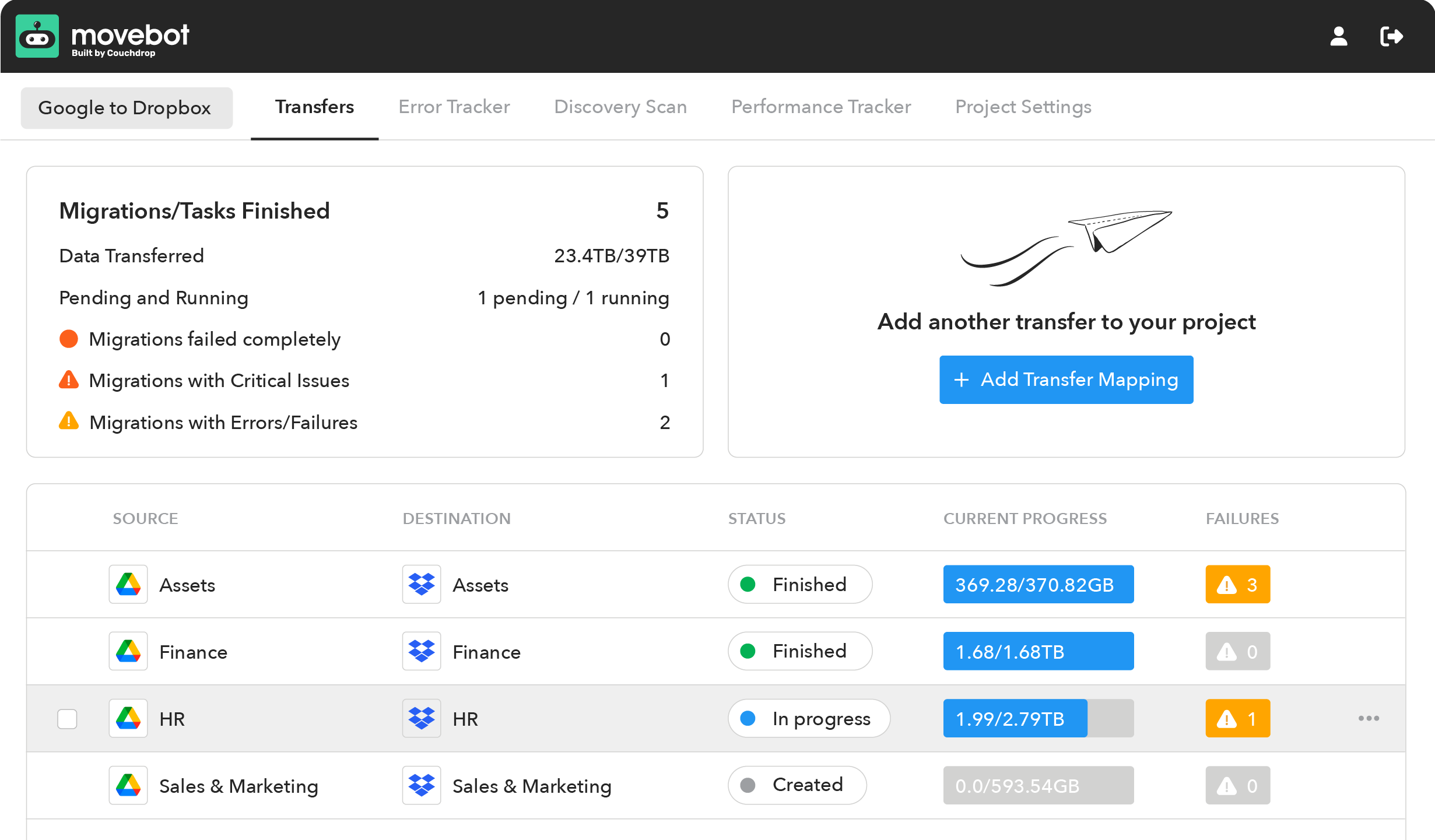
Movebot is a self-serve migration tool that has a simple three-step migration process we call PAC.
P stands for Plan, and with Movebot, this stage is often much easier than with other tools. Instead of having to create detailed user and folder mappings with CSVs, figure out which data is incompatible, and plan how to handle duplicates etc., Movebot handles all this for you. Simply decide what you need data you want to migrate and Movebot will help you with the rest. You'll be guided through how to connect platforms (most in under a minute), then default settings will be enabled that should be relevant based on your migration type (which you can change if you want). From there, you'll be directed to map users and drives directly in the interface, then guided through scanning and migrating data. You have full control at all stages of the migration.
A is for Advance, when the migration is set up and ready to go. After choosing what to move (which can be done granularly at the folder level), you can hit go and see your performance in real time. Because of its serverless architecture, Movebot has faster data migrations and the potential for incredible speeds, which means less time waiting, fewer disruptions in the workplace, and more opportunities to focus on other tasks.
C is for Cutover and happens once the bulk of the data moves across. Check the post-migration report for any issues, and then run delta migrations to pull across only files that failed to move or new/newly updated files. You can run unlimited delta migrations, and because of the way Movebot works, users don't have to stop working in the source while the migration is in process. This means there's no need to save the migration for a long weekend, and you can simply move files at will with the reassurance that Movebot will be able to move updated data.
With Movebot, all you have to do for a migration is PAC and go!
Customer Support
Ideally you'd have minimal interactions with support because everything goes well, but when disparate systems communicate, there's always the chance something will come up.
CloudFuze customer support
For Enterprises, CloudFuze offers 24/7 support by email or through their online chat. Consumers can get in touch via the web contact form as well.
As for how well the support interactions are, there isn't too much information to go off of. Some customers mention being frustrated by long email threads and that responses were less frequent after signing the contract, while others say the support team is friendly, knowledgeable, and gives personalized responses.
Movebot customer support
Part of making a fluid migration process is making sure someone's around to answer your questions or deal with any concerns you have. That's why the award-winning support team at Movebot is second-to-none. Our in-house team is made up entirely of Movebot experts who will take a deep look into your issue and give you a personalized response.
For basic issues, our AI chatbot Moby can give you an instant response and is always available. For a more detailed answer or if you'd like to contact the team directly, you can do this at any time. Support is available to everyone with a typical 6-hour response time, and if you're a partner with Premium Support, the response is within 1 hour for emergencies.
Customer Support comparison
Besides the rogue mention of having a poor support experience with CloudFuze, both products have support that is well-regarded. However, only Movebot has won Best Support from G2 consecutively and consistently as evidence that you'll be well taken care of.
Reviews and User Experience
Comparing features is useful and all, but what do users say about using the tool itself?
CloudFuze reviews and user experience
Overall, users seem to have mixed opinions about using CloudFuze. On G2, CloudFuze has 3.6 stars. Customers like how migrations typically go well, the setup process, and how they can be a one-stop shop for different data types.
However, some users have found that actual functionality was limited compared to the expectations they were given and that some components were missing. There were also some mentions of being frustrated with the performance and migration process, and that at times it was challenging to reach the right person who could help.
For the most part, users are pleased with the results, but the more recent views show some users having mixed results and some not having the experience or performance they were expecting.
Movebot reviews and user experience
Movebot is also on G2, with 4.9 stars. Customers love how they have full control over where they move their data, the speed of migrations, and the award-winning support team. The 4-star review mentioned being frustrated with character limitations in ShareFile, but since that review, updates have brought filename sanitization, and the discovery scan feature can help make sure all your files arrive as expected.
Overall, user reviews are extremely positive and point to speed and ease of use as highlights. While some users did run into obstacles, they all mentioned that they were able to easily get in touch with the support team and had their issues resolved, leading to a positive experience.
Reviews and user experience comparison
Movebot has higher scores and fewer mentions of performance and support issues on G2, with users consistently mentioning a positive overall experience.
Is Movebot or Cloudfuze right for me?
If you're looking for professional services and someone to handle the migration process for you, CloudFuze is a good fit. They connect to a lot of different cloud platforms, have done large migrations in the past, and have a helpful support team ready to help.
Movebot is completely self-serve and gives you full control of the data you move. You have full control over how your data moves with a huge range of supported platforms that you can bi-directionally move between. Users across industries mention that the speed, performance, and support team are exceptional and that the tool is simple to use.
Whether you have a few hundred GB or petabytes of data, Movebot can handle your migration with ease, with an award-winning support team standing by if you need assistance.
So back to the original question: does CloudFuze have unparalleled performance? Well, if you define "unparalleled" as "having no parallel", then yes.
Because Movebot exceeds it.
See for yourself and try Movebot today.